A laser cutting machine's compatibility with its intended uses depends on a number of important considerations that must be satisfied before purchase. The cutting capacity and power of the machine are primary factors to be considered.
The capacity of different laser cutting machines to sever through different materials and thicknesses is directly related to their power levels. To ensure accurate and efficient outcomes, it is crucial to know the thickness of the materials you will be processing in order to select a machine with the right amount of power and cutting capabilities.
The dimensions and scale of the materials to be processed should also be considered while evaluating the machine's cutting area and bed size. For smooth operations and maximum use of the equipment's capabilities, it is essential to check that the bed size of the laser cutting machine can handle the dimensions of the material.
When evaluating the machine, it is crucial to take into account its speed, accuracy, and precision in producing consistent results with varying thicknesses and materials. Machines that have cutting capabilities that are both efficient and of excellent quality are those that have sophisticated characteristics including high-speed cutting, the ability to cut minute details, and exceptional accuracy.
For you to ensure easy operation and smooth functioning, it is vital to evaluate the machine's software and user interface. Intuitive interfaces and user-friendly software make programming, operating, and customising cutting parameters a breeze. Integrating seamlessly into existing workflows is ensured by compatibility with generally used design applications and file formats in the industry. By keeping these things in mind, you can maximise your efficiency and production by choosing a laser cutting machine that is well-suited to your needs in terms of materials, dimensions, cutting capacity, and user-friendliness.
Table of Contents
What Are The Applications Of Laser Cutting?
No matter the complexity of your project or the quantity you're working with, laser cutting is a flexible and efficient way to cut and create items.
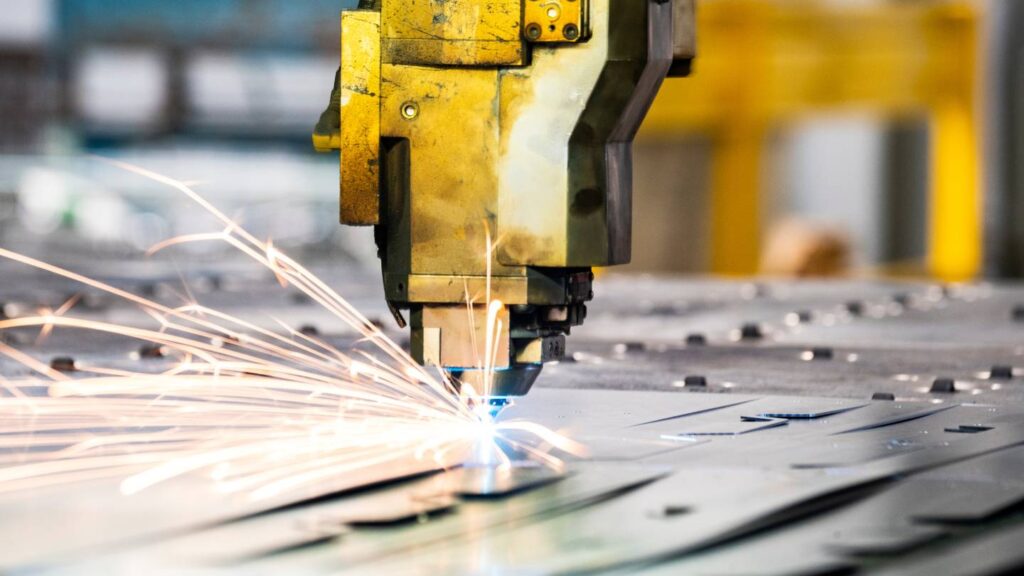
Sheet metal contract manufacturers frequently employ laser cutting machines to fabricate intricately designed parts and shapes. Work involving large quantities of identical, precisely manufactured components also makes use of their services.
What Is the Process of Laser Cutting?
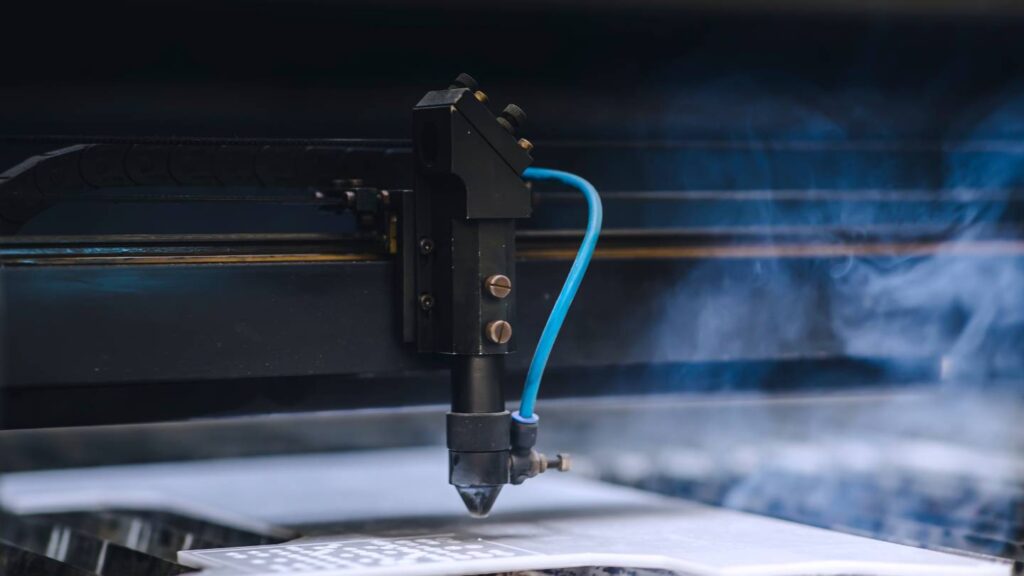
A powerful laser is used to create the beam, which is subsequently focused onto the substance using a system of lenses and mirrors. A pinpoint in the fabric is heated or vaporised by the laser beam, allowing for a clean cut. Thanks to a computer, the laser can be precisely and accurately regulated.
Different Kinds of Lasers for Cutting
Co2 Lasers
To create light beams, a carbon dioxide laser transfers energy through a tube filled with a gas combination. At either end of the tubes are mirrors. While one mirror reflects all light, the other lets in just a fraction of it. Nitrogen, carbon dioxide, hydrogen, and helium make up the gas combination. CO2 lasers emit light that is invisible to the human eye since it is in the far infrared region.
Extremely powerful CO2 lasers, capable of producing outputs in the kilowatt range, are reserved for use in industrial machinery. Common CO2 lasers used for machining have a wavelength of 10.6 micrometres with a power output ranging from 25 to 100 Watts.
Common materials cut by this laser include wood, paper, and polymethylmethacrylate (PMMA) and other acrylic polymers. You can use it to deal with wallpaper, leather, fabric, and similar materials as well. Cheese, chestnuts, and a variety of plants have all been processed with it.
CO2 lasers can treat some metals, but they work better with non-metallic materials in general. It is capable of slicing through non-ferrous metals and thin sheets of aluminium. It is possible to increase the CO2 beam's power by increasing the oxygen concentration, however this can be dangerous to do on an amateur level or with an unfit machine.
Fibres Lasers
These machines use the seed laser and are classified as solid-state lasers. Utilising custom-made glass fibres powered by pump diodes, they enhance the beam's intensity. With a typical wavelength of 1.064 micrometres, they have a very tiny focal diameter. Furthermore, compared to other laser cutters, they tend to be on the pricier side.
In most cases, fibre lasers do not require servicing during their lengthy lifespan of 25,000 laser hours. Therefore, fibre lasers can generate strong and stable beams and have a significantly longer lifespan compared to the other two kinds. With the same amount of average power, they can manage intensities that are 100 times higher than CO2 lasers.
The versatility of fibre lasers is enhanced by their ability to be operated in continuous beam, quasi-, or pulsed modes. The MOPA is a kind of fibre laser system that allows the user to alter the duration of the pulses. The MOPA laser is incredibly versatile and may be utilised for a variety of applications because of its flexibility.
Annealing metal, engraving metal, and marking thermoplastics are all tasks that fibre lasers excel at. It is compatible with a wide variety of materials, including metals, alloys, glass, wood, plastic, and even non-metals. Power levels of fibre laser cutting machines determine how adaptable they are and how many materials they can cut.
Fibre lasers are perfect for applications involving very thin materials. On the other hand, for materials larger than 20 mm, this is less of an issue; however, a more costly fibre laser system capable of handling over 6 kW might accomplish the task.
Nd:Yag/Nd:Yvo
Laser cutting crystals can be nd:YAG (neodymium-doped yttrium aluminium garnet) or nd:YVO (neodymium-doped yttrium ortho-vanadate, YVO4), but the latter is the material most often used. Extremely high cutting power is made possible by these gadgets. The initial cost isn't the only thing that can make these machines pricey; the pump diodes can add up to a pretty penny, and the machines themselves only last between 8,000 and 15,000 hours (Nd:YVO4 usually has a lower one).
Widely used in industries as varied as manufacturing, dentistry, the military, and medicine, these lasers have a wavelength of 1.064 micrometres. When comparing the two, Nd:YVO proves to have superior pump absorption and gain, a broader bandwidth, a greater variety of pumping wavelengths, a reduced thermal conductivity, a higher refractive index, and a shorter lifetime in the upper-state. When it comes to continuous operation, Nd:YVO is just like Nd:YAG in medium or high power situations. Compared to Nd:YAG, which enables significantly higher pulse energy, Nd:YVO is less efficient and has a shorter laser life.
These are versatile enough to work with plastics, metals (coated and uncoated), and non-metals. Even some ceramics can be processed by it under specific conditions. Adding high NLO coefficient crystals (LBO, BBO, or KTP) to the Nd:YVO4 crystal allows it to frequency-shift its output from near infrared to green, blue, or even ultraviolet, expanding its functionality to a wide range.
The lattice structure required to generate the beam can be adequately replaced by laser-active rare earth ions in place of yttrium, gadolinium, or lutetium ions because of their comparable sizes. The doped materials' excellent thermal conductivity is maintained in this way.
Choosing Buying a Laser Cutting Machine
All businesses, including metal fabrication firms, must innovate if they want to remain relevant. Businesses are always on the lookout for methods to upgrade their operations by incorporating new technologies, such as laser cutting machines, into their inventory.
This allows them to provide a wider variety of items to their clients and ensures that their organisation remains relevant. Do you want to upgrade your machine shop with a laser cutter? Before you go out and get a laser cutting machine, think about the following.
Essential Factors To Take Into Account
Metals such as structural steel, stainless steel, aluminium, titanium, copper, and brass can all be cut with laser cutting machines. When you're ready to buy a laser cutter, think about how much material your company uses. You can use this information to figure out if the machine is right for your shop. Consider the thickness of the materials needed for your projects as well. Power needs and workstation dimensions are other factors to think about.
Details About Lasers
Consider the material you'll be cutting and the thickness of the projects at hand when comparing laser cutters; these factors affect the machine's speed, precision, and laser strength. There is a wide variety of laser cutters on the market, but picking the right one for your shop's needs is essential to avoiding disappointment. For almost three decades, Mac-Tech has been advising metal fabrication firms like yours on which machinery will work best for specific tasks. Choose the right fit for your machine shop with the help of our application specialists.
Computer Programmes
Be sure to check out the fibre laser cutter's software, control panel, and features before buying it. Is it possible to bring in data from your current CAD/CAM programme? Does the programme find mistakes in your designs after they're imported? Make sure your part won't fail before you start running the project by paying close attention to this alert.
Can you save completed tasks for future reference? Shops who struggle with repeatability will find this feature essential. When starting a work, checking its progress, and ending it, is the UI easy to use? Get to the bottom of these questions so you can get the most out of your machine investment.
Capacity For Production
Do you specialise in one-off production runs? Alternately, is it necessary to manufacture a wide variety of components for the same task? The needs of your organization's projects should guide your selection of a laser cutting equipment. You won't be able to manufacture items at scale due to capacity constraints and smaller bed sizes, so be careful when choosing your machine, even though many of them can get the job done.
Think about how a pallet changer could help your metal fabrication shop load metal sheets faster. Operators can save a significant amount of time every week just by doing this, as it often only takes 10 seconds to finish the pallet switch. Additional automated material handling systems can be put in place to ensure that your fibre laser cutting equipment runs continuously with minimal downtime.
Risk Prevention
While shopping for a laser cutting machine, its capacity to prevent accidents should be among your top priorities. There is a pressing need to provide appropriate safety measures for these laser cutting equipment notwithstanding their widespread use in metal fabrication industries. One of the most important safety elements, fume extractors, along with the right interlocks and sensors, are required.
When cutting too much, fumes can build up from the material; to avoid inhalation, the work space must be properly evacuated. Laser eye injury is not an issue with these equipment because they are completely encased. The operator is less likely to become tired or hurt because the machine is cutting instead.
Financial Plan
As we've already established, innovation is the lifeblood of thriving businesses that want to remain competitive and ahead of the curve. Your next step, after listing all of your needs, is to establish a spending limit. A machine that meets your requirements should be within your budget.
Neither buying an expensive equipment that won't pay for itself nor a machine that can't do your jobs well are desirable outcomes. Buying only because it's cheap can backfire here. If you're being realistic, your laser cutting machine should lead to additional sources of income for your business.
Less human intervention is required during cutting using laser cutting machines because of how well they work. The job can be redirected to other projects while these operators are still working on it. Your cost-per-part will go down, which means more money in your pocket. Adding a laser cutting machine to your shop's inventory will increase output by a factor of two, and these machines can operate nonstop for added convenience.
Assistance And Reliability
Even though fibre laser printers rarely malfunction, mechanical devices do wear out with time. It is helpful to have access to remote diagnostics and support for smaller issues with some newer technologies. Be sure the reseller offers service and support when you choose your fibre laser machine. It will be much easier to locate a dependable service organisation in the future if you have this complete circle in the beginning.
Feel free to enquire about their service and support history by requesting references from their clients. After the sale, a reliable reseller should be available to take your call and help you with any technical issues that may arise. Make sure to ask about any preventive maintenance plans that the reseller may provide.
It is possible to avoid spending a lot of money on repairs by keeping up with routine equipment maintenance. On-site maintenance visits are usually included in PMs twice a year. Skilled technicians can quickly diagnose wear and malfunctions and repair them to keep machines running smoothly.
Conclusion
A laser cutting machine's compatibility with its intended uses depends on factors such as cutting capacity, power, dimensions, and bed size. The machine's capacity to cut through different materials and thicknesses is directly related to its power levels. The bed size should be able to handle the dimensions of the material.
The machine's speed, accuracy, and precision are crucial for producing consistent results. The software and user interface are also important for easy operation. Laser cutting is used in various industries, including sheet metal contract manufacturing and large quantities of identical components.
Fibres Lasers are solid-state lasers with a wavelength of 1.064 micrometres and a small focal diameter. They generate strong, stable beams and have a long lifespan of 25,000 hours. They excel in engraving metal, engraving metal, and marking thermoplastics, and are compatible with various materials.
Nd:Yag/Nd:Yvo lasers are used in various industries, with a wavelength of 1.064 micrometres. They have superior pump absorption and gain, a broader bandwidth, and a higher refractive index. They are versatile and can be replaced by laser-active rare earth ions.
When purchasing a laser cutting machine, consider factors such as the amount of material used, thickness of materials, power needs, and workstation dimensions. Factors like material and thickness of projects also affect the machine's speed, precision, and strength. Check the software, control panel, and features of the machine to ensure it can import data from your CAD/CAM program and save completed tasks for future reference.
Consider the capacity for production and the need for automated material handling systems. Prioritize safety measures like fume extractors and sensors to prevent accidents. Establish a budget and consider the machine's ability to increase output and operate nonstop. Ensure the reseller offers remote diagnostics and support for smaller issues. Regular maintenance and preventive maintenance can help prevent costly repairs.
Content Summary
- A laser cutting machine's compatibility with its intended uses depends on a number of important considerations that must be satisfied before purchase.
- The cutting capacity and power of the machine are primary factors to be considered.
- To ensure accurate and efficient outcomes, it is crucial to know the thickness of the materials you will be processing in order to select a machine with the right amount of power and cutting capabilities.
- The dimensions and scale of the materials to be processed should also be considered while evaluating the machine's cutting area and bed size.
- For smooth operations and maximum use of the equipment's capabilities, it is essential to check that the bed size of the laser cutting machine can handle the dimensions of the material.
- When evaluating the machine, it is crucial to take into account its speed, accuracy, and precision in producing consistent results with varying thicknesses and materials.
- For you to ensure easy operation and smooth functioning, it is vital to evaluate the machine's software and user interface.
- Intuitive interfaces and user-friendly software make programming, operating, and customising cutting parameters a breeze.
- By keeping these things in mind, you can maximise your efficiency and production by choosing a laser cutting machine that is well-suited to your needs in terms of materials, dimensions, cutting capacity, and user-friendliness.
- Sheet metal contract manufacturers frequently employ laser cutting machines to fabricate intricately designed parts and shapes.
- A pinpoint in the fabric is heated or vaporised by the laser beam, allowing for a clean cut.
- To create light beams, a carbon dioxide laser transfers energy through a tube filled with a gas combination.
- Extremely powerful CO2 lasers, capable of producing outputs in the kilowatt range, are reserved for use in industrial machinery.
- Common materials cut by this laser include wood, paper, and polymethylmethacrylate (PMMA) and other acrylic polymers.
- You can use it to deal with wallpaper, leather, fabric, and similar materials as well.
- CO2 lasers can treat some metals, but they work better with non-metallic materials in general.
- These machines use the seed laser and are classified as solid-state lasers.
- Utilising custom-made glass fibres powered by pump diodes, they enhance the beam's intensity.
- Therefore, fibre lasers can generate strong and stable beams and have a significantly longer lifespan compared to the other two kinds.
- With the same amount of average power, they can manage intensities that are 100 times higher than CO2 lasers.
- The MOPA is a kind of fibre laser system that allows the user to alter the duration of the pulses.
- Power levels of fibre laser cutting machines determine how adaptable they are and how many materials they can cut.
- Fibre lasers are perfect for applications involving very thin materials.
- On the other hand, for materials larger than 20 mm, this is less of an issue; however, a more costly fibre laser system capable of handling over 6 kW might accomplish the task.
- When comparing the two, Nd:YVO proves to have superior pump absorption and gain, a broader bandwidth, a greater variety of pumping wavelengths, a reduced thermal conductivity, a higher refractive index, and a shorter lifetime in the upper-state.
- Adding high NLO coefficient crystals (LBO, BBO, or KTP) to the Nd:YVO4 crystal allows it to frequency-shift its output from near infrared to green, blue, or even ultraviolet, expanding its functionality to a wide range.
- The lattice structure required to generate the beam can be adequately replaced by laser-active rare earth ions in place of yttrium, gadolinium, or lutetium ions because of their comparable sizes.
- All businesses, including metal fabrication firms, must innovate if they want to remain relevant.
- Businesses are always on the lookout for methods to upgrade their operations by incorporating new technologies, such as laser cutting machines, into their inventory.
- Before you go out and get a laser cutting machine, think about the following.
- When you're ready to buy a laser cutter, think about how much material your company uses.
- You can use this information to figure out if the machine is right for your shop.
- Consider the thickness of the materials needed for your projects as well.
- Consider the material you'll be cutting and the thickness of the projects at hand when comparing laser cutters; these factors affect the machine's speed, precision, and laser strength.
- There is a wide variety of laser cutters on the market, but picking the right one for your shop's needs is essential to avoiding disappointment.
- Choose the right fit for your machine shop with the help of our application specialists.
- Be sure to check out the fibre laser cutter's software, control panel, and features before buying it.
- Is it possible to bring in data from your current CAD/CAM programme?
- The needs of your organization's projects should guide your selection of a laser cutting equipment.
- Think about how a pallet changer could help your metal fabrication shop load metal sheets faster.
- Additional automated material handling systems can be put in place to ensure that your fibre laser cutting equipment runs continuously with minimal downtime.
- While shopping for a laser cutting machine, its capacity to prevent accidents should be among your top priorities.
Frequently Asked Questions
When operating laser cutting machines, it's crucial to follow safety protocols such as wearing appropriate protective gear (safety glasses, gloves), ensuring proper ventilation for fume extraction, securing loose clothing or accessories that could get caught in the machine, and implementing emergency stop procedures in case of any issues.
Yes, laser cutting is commonly used for prototyping due to its ability to quickly and accurately create prototypes from various materials. Its precision allows for the creation of prototypes that closely resemble the final product.
Operating a laser cutting machine requires training and familiarization with its software, settings, and safety procedures. However, many machines come with user-friendly interfaces, and with proper training, operators can become proficient relatively quickly.
Yes, laser cutting is versatile and can accommodate both one-off projects and mass production. Its efficiency and ability to replicate designs make it suitable for producing a single custom piece or large quantities of identical parts.
Laser cutting machines consume varying amounts of energy depending on factors such as the power of the laser, the duration of operation, and the type of material being cut. Energy-efficient models and optimizing cutting parameters can help manage energy consumption.